
Finding an IPTV application that makes live television easy to navigate can make a big difference to your everyday viewing experience.
The CANADA IPTV app, introduced by ShipInCanada.com, brings together live TV navigation, movie and series browsing, sports schedules, recording controls, and multiview functionality in one Android-based streaming application.
Whether you're using an Amazon Firestick, an Android TV box, or an NVIDIA Shield, this guide explains the app's main features, which IPTV subscriptions it supports, and what to check before getting started.
Important: This article describes the CANADA IPTV application and its advertised features. It is not a standalone television subscription. A compatible IPTV service is required to access programming.
What Is the CANADA IPTV App?
CANADA IPTV is a streaming player application offered for use with selected IPTV subscriptions available through ShipInCanada.
Its interface is designed to help viewers find live channels, browse movies and series, check available programming information, and access useful playback features.
Rather than switching between different menus for everyday tasks, the app places several frequently used controls on its home screen.
According to the original app announcement, CANADA IPTV supports these three subscription packages:
- 88 IPTV
- Fire IPTV
- Cheetah IPTV
Compatibility with other IPTV packages should not be assumed. Confirm current app support before ordering or installing.
CANADA IPTV App Features at a Glance
| Feature | What It Does |
|---|---|
| Home Screen Search | Find available channels, movies and series |
| Content Banners | Browse featured movies and event information |
| TV Guide | View supported channel schedules |
| Catch-Up | Access eligible previously aired programs |
| Favorites | Keep preferred channels easier to find |
| Sports Schedule | Browse available sports programming information |
| Notifications | Receive available service updates and announcements |
| Recording | Manually record supported live streams |
| Multiview | Watch multiple channels on one screen with sufficient connections |
Feature availability can depend on the app version, subscription, device capabilities, and connection allowance.
1. Find Live TV Channels, Movies and Series with Search
One of the convenient features of the CANADA IPTV app is the search button available directly from the home screen.
Instead of scrolling through large channel lists, viewers can search for available:
- Live television channels
- Movie titles
- TV series
- Available programming
For households with extensive international channel selections, a searchable interface can make navigation more convenient.
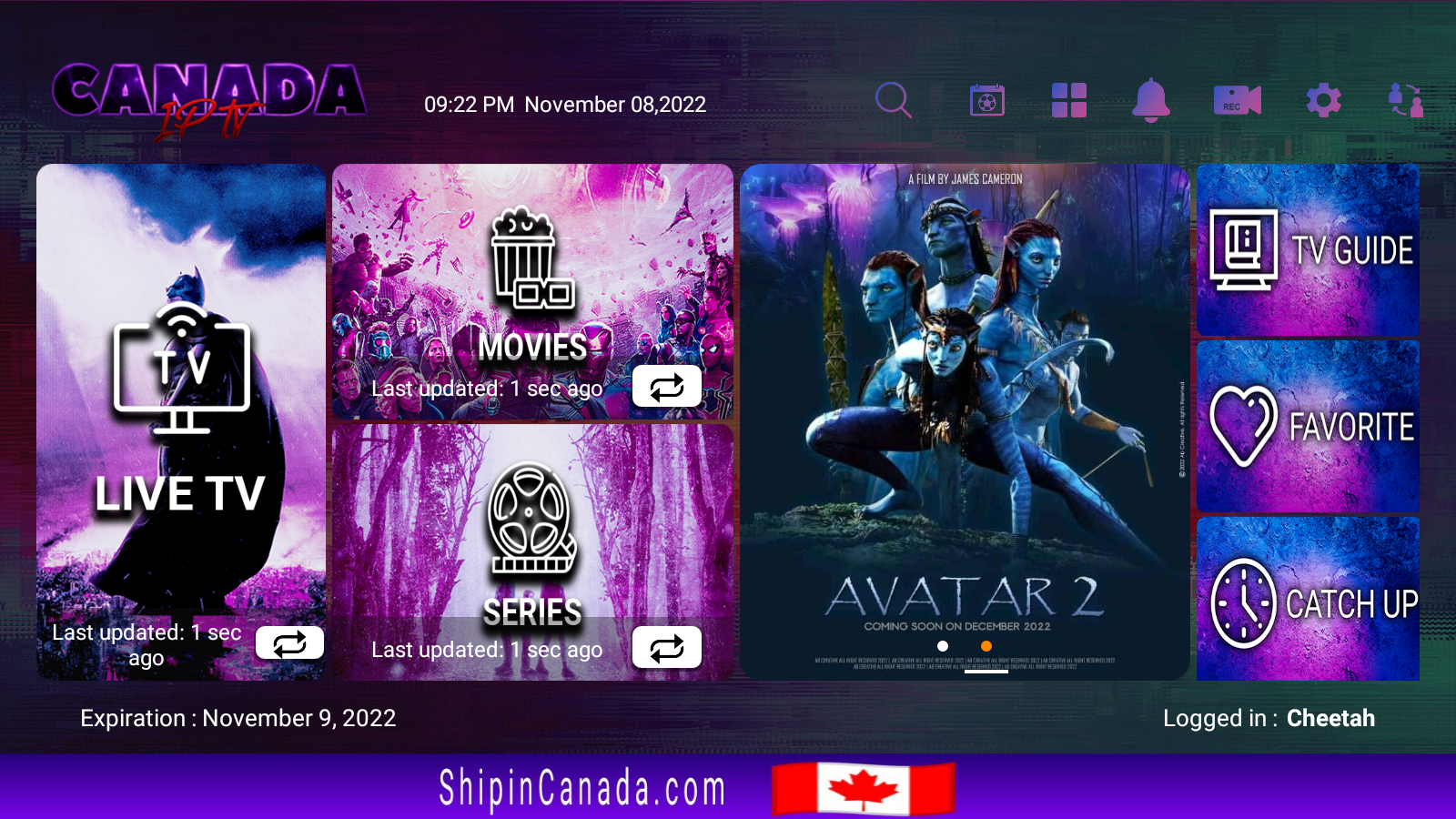
CANADA IPTV Home Screen
The screenshot below shows the app interface featured in the original announcement.
2. Browse Movies, Series and Featured Content
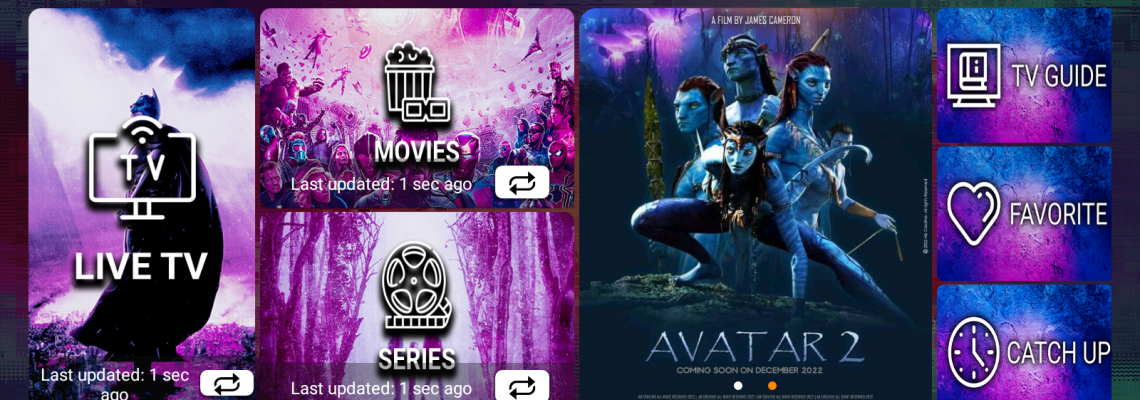
The CANADA IPTV home screen includes promotional banners highlighting available entertainment and upcoming programming.
These may feature movie artwork, television series, sports information, or event announcements.
The banners provide a visual way to discover content without having to browse each category individually.
Featured artwork does not guarantee that every advertised title or event is included in every subscription.
3. Access the TV Guide, Catch-Up and Favorites
A useful IPTV player should make everyday navigation simple.
The CANADA IPTV app places shortcuts to the TV Guide, Catch-Up and Favorites on its main interface.
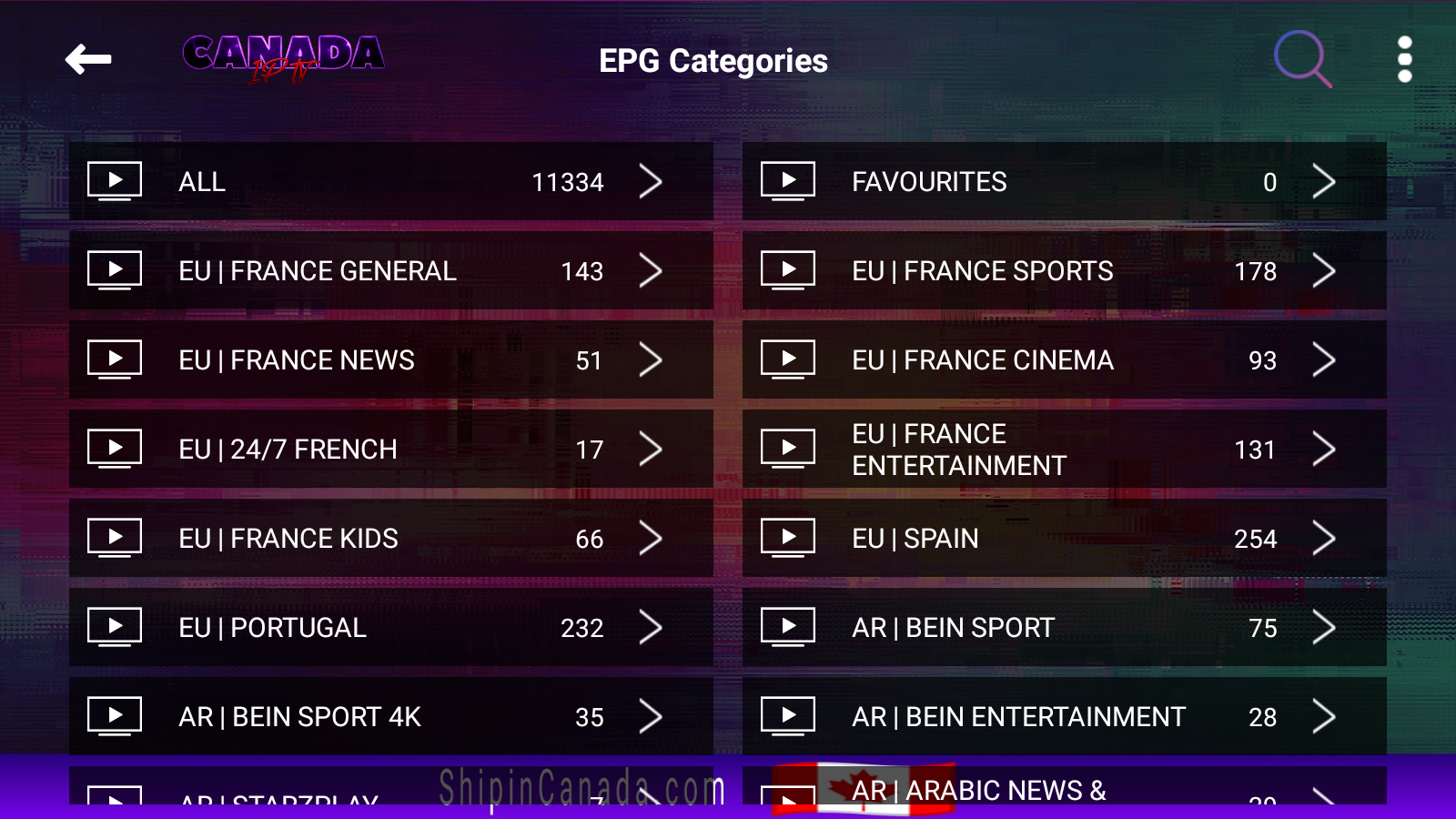
Electronic Program Guide
The TV guide displays available program schedules for supported live television channels.
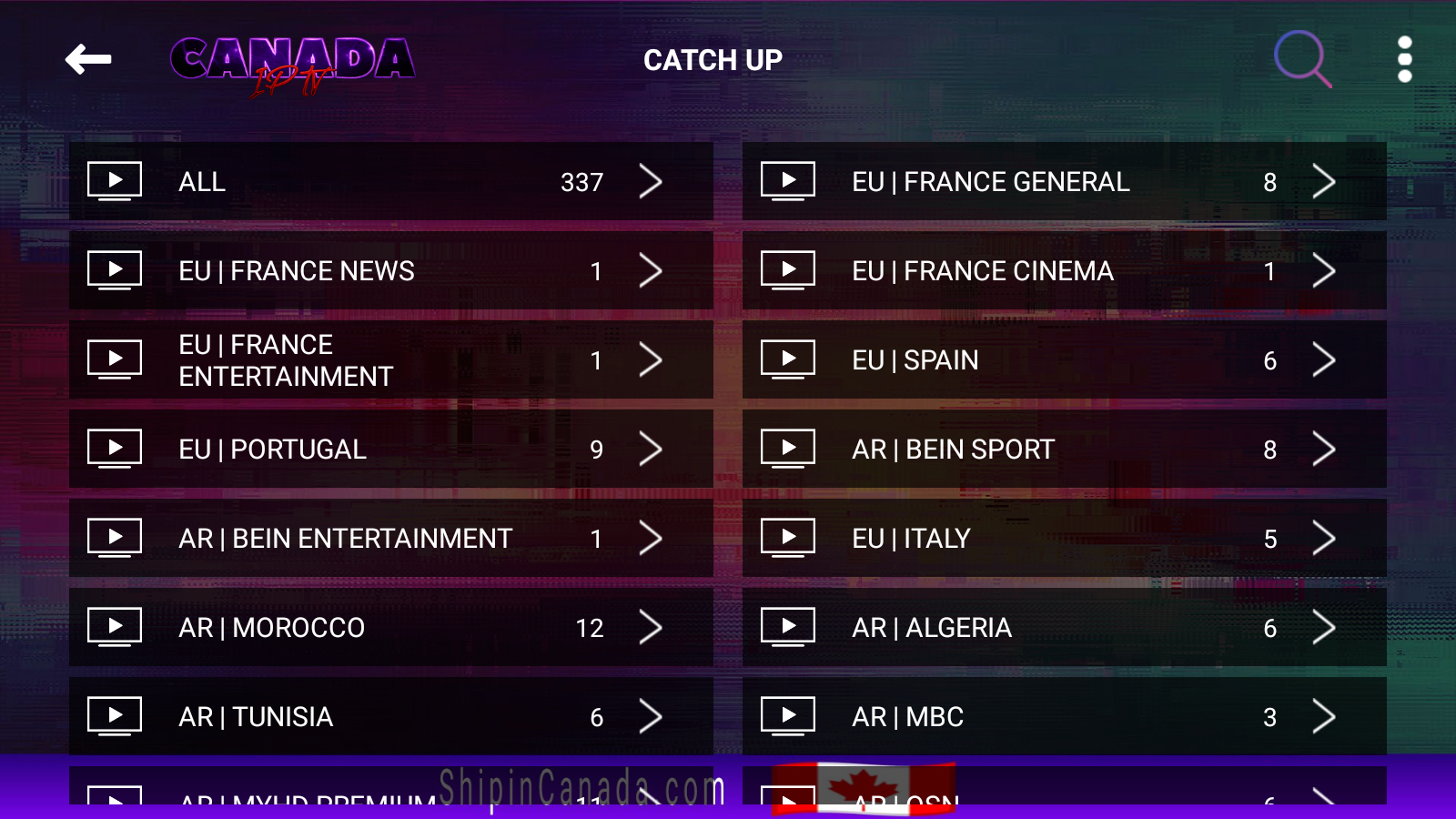
Catch-Up Television
Where supported by the IPTV subscription and individual channel, catch-up functionality may allow viewers to access previously broadcast programs.
Catch-up is not necessarily available on every channel.
Favorite Channels
The Favorites feature provides a convenient way to return to preferred television channels without repeatedly searching the full channel lineup.
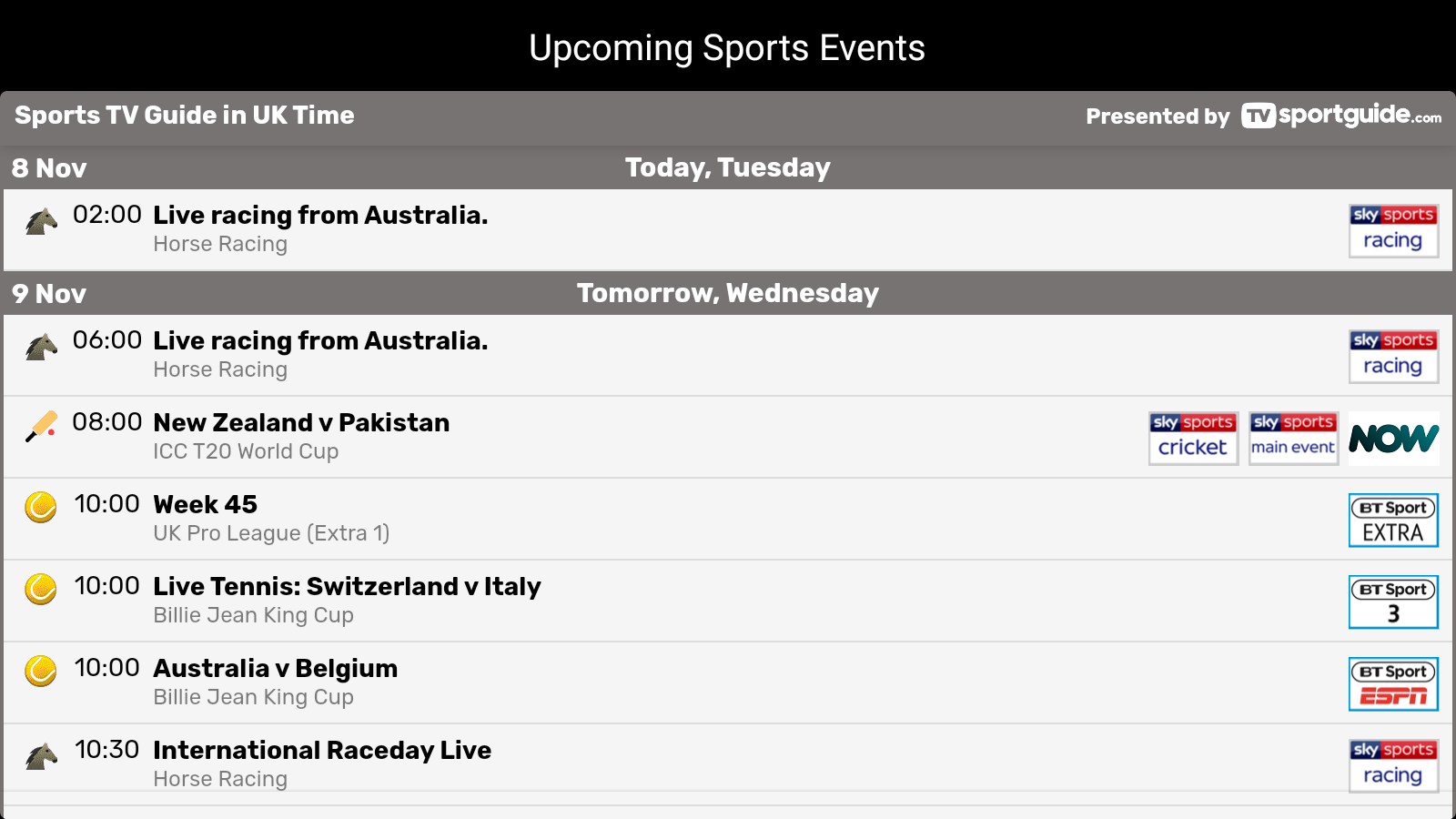
4. Check Soccer and European Sports with Sports Schedule
For viewers who follow football, soccer, and European sporting events, the CANADA IPTV app includes a dedicated Sports Schedule feature.
The original app announcement described this as a programming guide particularly useful for UK channels and European sports.
This feature can help viewers browse available sports schedule information separately from the standard television guide.
Schedule information and access to individual sporting events depend on the subscription and current programming availability.
5. Receive IPTV App Notifications and Service Updates
The Notifications section provides a place for available service announcements and updates.
Depending on the app configuration, these may include information about service changes, application updates, or promotional offers.
Checking notifications can be helpful when you want to stay informed about changes related to your streaming setup.
6. Record Live TV with the CANADA IPTV App
The CANADA IPTV app includes a manual recording feature for supported live television streams.
According to the original announcement, recording is started by selecting the recording control while watching a channel.
Recorded content is then accessed through the application's Recording section.
Can You Watch Another Channel While Recording?
Recording may use one of your subscription's available streaming connections.
For example, if your plan permits only one simultaneous stream, recording may prevent you from watching a different channel at the same time.
A subscription with two or more simultaneous connections may provide additional flexibility, depending on the application and service configuration.
The original announcement specifically identified multi-connection Fire IPTV plans as a useful option for recording while watching.
Note: Recording functionality may also depend on available device storage, app permissions, and whether recording is supported for the selected stream. Record only content you are authorized to record.
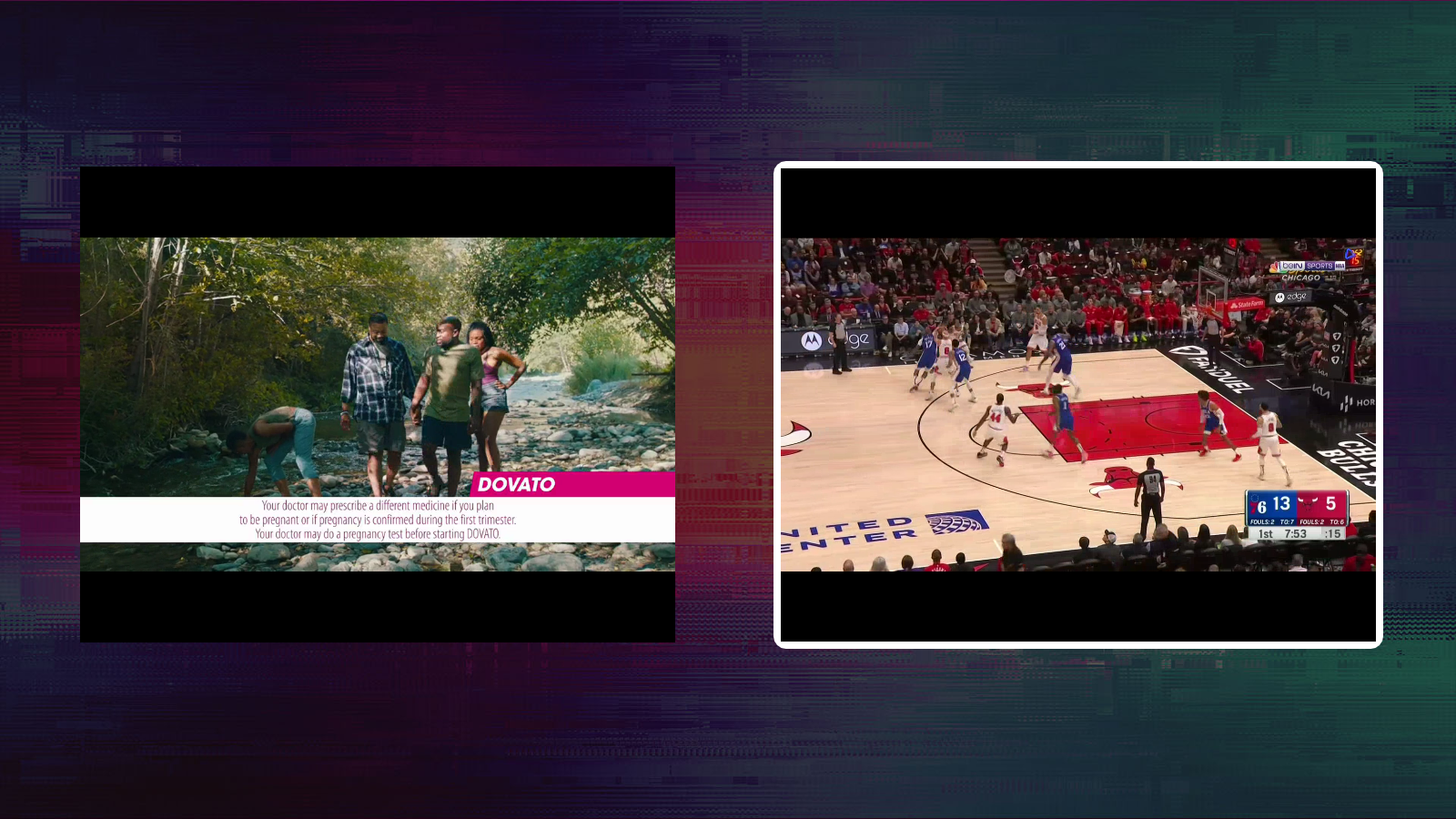
7. Watch Multiple IPTV Channels with Multiview
IPTV multiview is designed for viewers who want to display multiple live television channels on the same screen.
This can be useful for following several sporting events or keeping an eye on different live programs.
The CANADA IPTV app includes a multiview option, but the number of simultaneous streams depends on the subscription's connection limit.
How Many IPTV Connections Do You Need for Multiview?
The original app information states that multiview requires at least two connections.
- 1 Connection: Intended for one active stream at a time.
- 2 Connections: May allow two simultaneous streams.
- 3 Connections: May allow three simultaneous streams.
Actual multiview capacity also depends on device performance and the app's supported layout.
The original announcement recommended Fire IPTV multi-connection plans for this feature.
CANADA IPTV App Screenshots
The following screenshots show additional screens from the original CANADA IPTV application announcement. The interface may differ in newer app versions.
Which Devices Support the CANADA IPTV App?
The original announcement lists several Android-based streaming platforms and devices for the CANADA IPTV application.
- Amazon Firestick and compatible Fire TV devices
- Android TV boxes
- NVIDIA Shield TV
- Compatible Chromecast devices running Google TV
- Supported Dreamlink devices
- Android smartphones and tablets
Because device operating systems and app requirements change, compatibility should be confirmed for the exact model before installation.
How to Get Started with the CANADA IPTV App
If you're considering the CANADA IPTV app for your streaming setup, use these general steps to prepare.
- Confirm your IPTV package. Check that your subscription is one of the currently supported services, such as 88 IPTV, Fire IPTV, or Cheetah IPTV.
- Check your device. Confirm that your Firestick, Android TV box, NVIDIA Shield, or other device supports the current application version.
- Obtain the official app. Use the installation source and instructions supplied by ShipInCanada.
- Configure your subscription. Follow the connection instructions provided for your specific package.
- Explore the features. Open the channel search, TV guide, Favorites, and other available menu options.
- Check your connection allowance. If you plan to use multiview or record while watching, confirm that your subscription permits sufficient simultaneous streams.
These are general preparation steps rather than verified screen-by-screen installation instructions for the latest app version.
Troubleshooting Common IPTV App Issues
The IPTV App Does Not Open
Check whether your device supports the installed application version. Restart the device and confirm that sufficient storage is available.
Channels Are Not Loading
Check your internet connection, subscription status, and connection settings. Also confirm that the selected IPTV package is supported by the app.
The TV Guide Is Empty
EPG information may not be available for every channel. Check whether your app offers a guide refresh option and confirm that your subscription supports EPG.
Multiview Is Not Working
Confirm that your subscription includes at least two simultaneous connections. Also check device performance and app compatibility.
Recording Is Not Saving
Check device storage, application permissions, and whether the selected stream supports recording.
Frequently Asked Questions About the CANADA IPTV App
Is CANADA IPTV an app or a subscription?
CANADA IPTV is a player application intended for use with compatible IPTV subscriptions. The app itself does not automatically include television programming.
Does the CANADA IPTV app work on Firestick?
The original announcement lists Amazon Firestick among the supported devices. Compatibility with current Fire TV models and software versions should be confirmed.
Can I install CANADA IPTV on NVIDIA Shield?
NVIDIA Shield was listed as a compatible platform in the original app announcement. Check current installation requirements before proceeding.
Which IPTV packages work with the app?
The original announcement identifies 88 IPTV, Fire IPTV, and Cheetah IPTV. Current compatibility should be confirmed before purchasing.
Does CANADA IPTV support multiview?
Yes. The announced app includes multiview functionality. At least two simultaneous connections are required, and device limitations may also apply.
Can I record live television?
The app includes manual recording functionality for supported streams. Storage, connection limits, and content permissions may affect recording.
Does the app have a sports schedule?
Yes. The original app announcement describes a Sports Schedule feature particularly useful for UK channels and European sports programming.
Is catch-up available on every channel?
No. Catch-up depends on the IPTV subscription and whether the selected channel supports replay of previous programming.
Explore CANADA IPTV with ShipInCanada.com
The CANADA IPTV app brings together useful television navigation and playback features for compatible IPTV subscriptions.
With channel search, a TV guide, sports schedules, recording controls, and multiview functionality, the app offers several ways to organize and enjoy your viewing experience.
Visit ShipinCanada.com for more Info on Canadian IPTV Subscription to explore available packages and learn more about compatible streaming devices and applications.
Before installing, confirm the current app version, supported subscription, and device requirements.