
19 Sep
HOW TO INSTALL IPTV IN AMAZON FIRESTICK
If you just bought a firestick and is wondering how to install iptv app using downloader then, this tutorial is for you. Once you connect your amazon firestick to your tv make sure you connect to wifi first and go through all the necessary setup. There is not much you can do with amazon fire stick when you just purchase it without sideloading apps for movies and tv shows but if you are looking to watch Live tv Channels from Canada, USA, UK, Sports and International Channels then you must purchase an IPTV subscription service and ShipinCanada can help you with setting up your iptv using downloader app and providing you the iptv service anywhere in Canada.
Before installing any app, it's important to enable your unknown source, so you can install apps that are outside play store. This step can not be avoided it's a must in order to install apps. Next on your home screen search for Downloader, once it pops up, install it and open it. Last step contact ShipinCanada in LIVE CHAT to give you our iptv link for your downloader, so you will be able to install the IPTV App.
THE TUTORIAL BELOW WILLL GUIDE YOU MORE IN DETAILS
1. Go to the home screen of the Fire TV / Stick if you are already not there.
2. Use your remote to navigate to Find > Search on the menu bar in the middle of the screen.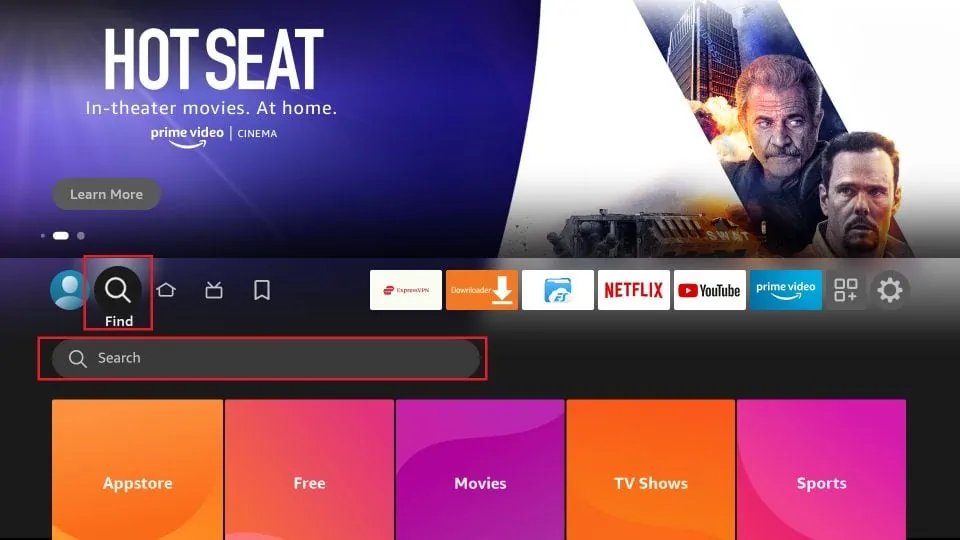 3. Now type in Downloader (without the quotes) using the onscreen keypad. You should see the app suggestions on the list as you begin typing.
When you see Downloader on the list, select and click it.
Once the app is installed, you can access it from the Your Apps & Channels section (more on it later).
1. Launch your FireStick home screen and navigate to the Settings icon.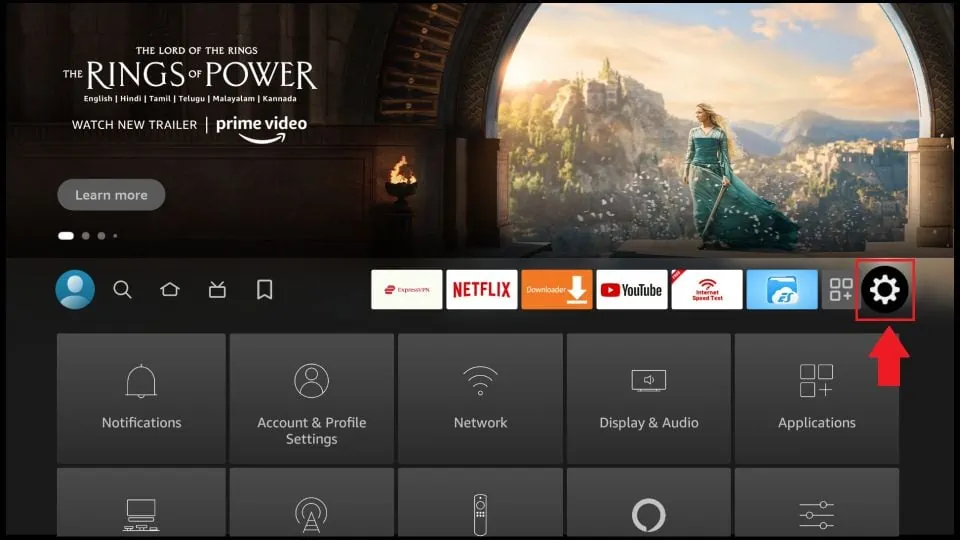 2. Scroll down to the My Fire TV tile and click on it.
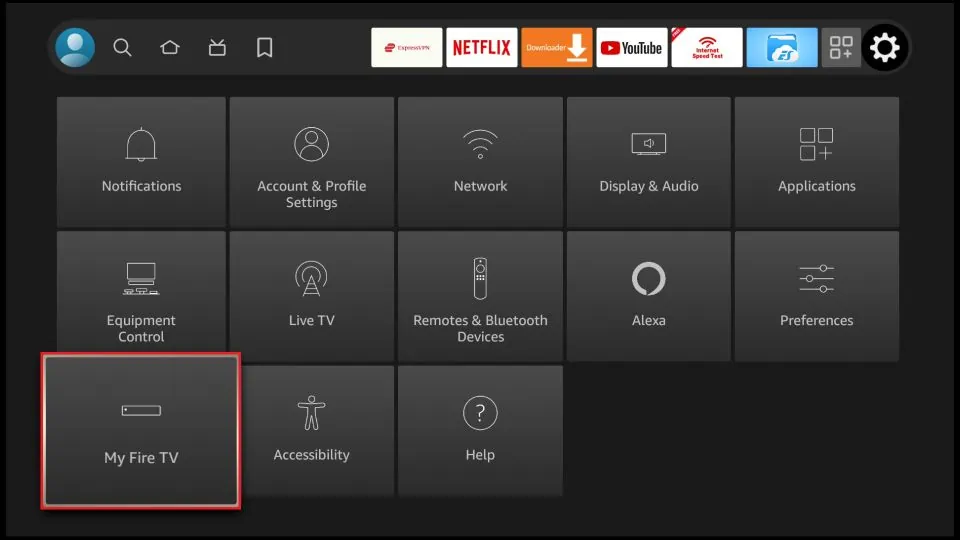 3. Click on Developer Options. ( If you do not see Developer tab here, You have to click on my fire tv or my fire tv lite or about 7 times until you see a message saying you are not a developer ), and the Developer tab should be visible for you to follow the next steps. Remember you only have to enable Developer tab once usually if you just bought a brand new firestick. If you have already enabled Developer tab then simply follow the next step.
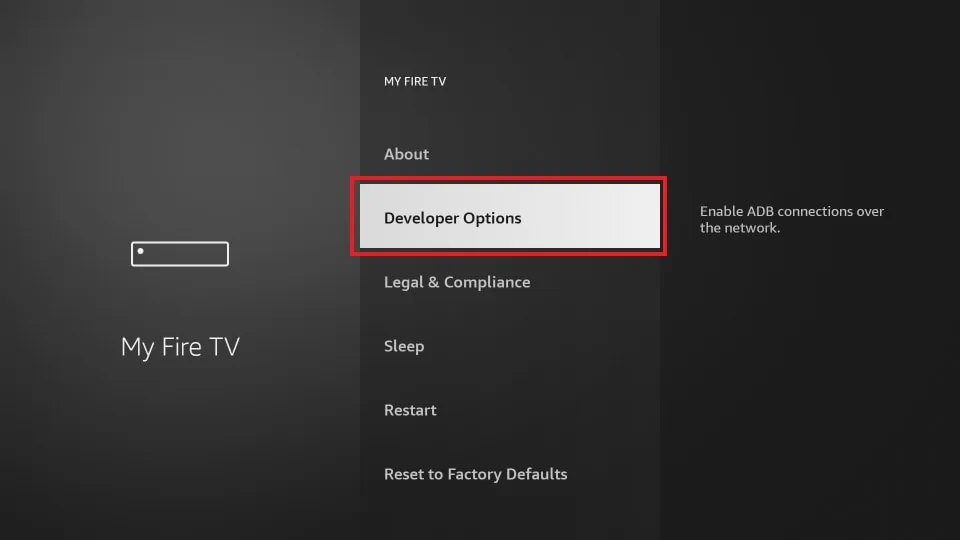 4. Select Install unknown apps.
Note: Some versions of FireStick may have the option Apps from Unknown Sources instead of Install unknown apps. In that scenario, select Apps from Unknown Sources, turn it ON and skip step 5 below.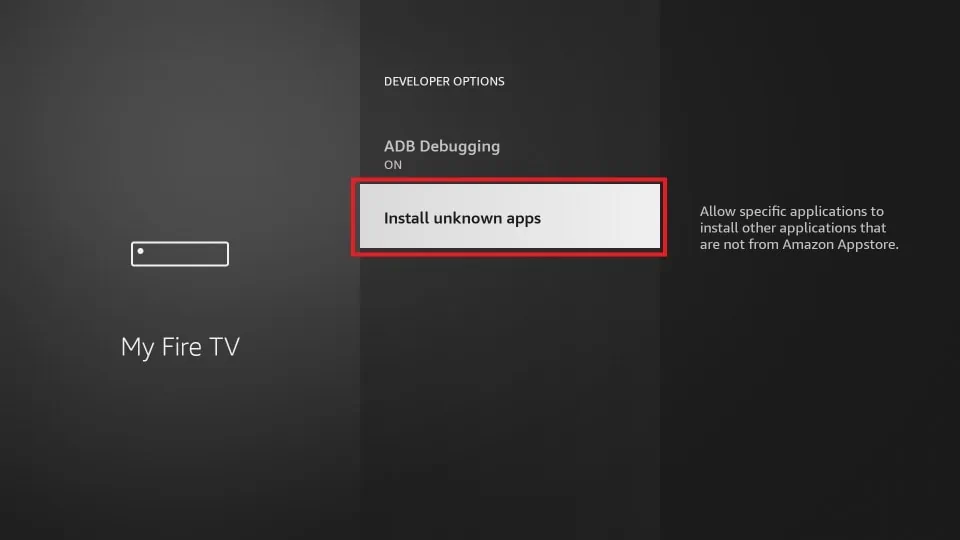 5. Navigate to Downloader and select it to turn it ON.
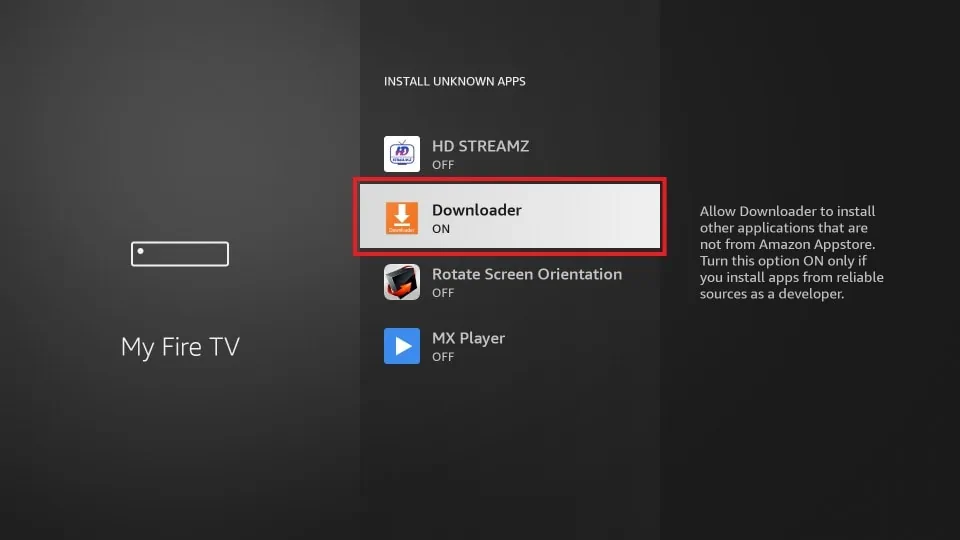 Your FireStick is now prepared to install various third-party apps using Downloader.
How to Download Apps on FireStick Using Downloader App
When you open the app for the first time, click Allow to grant permission.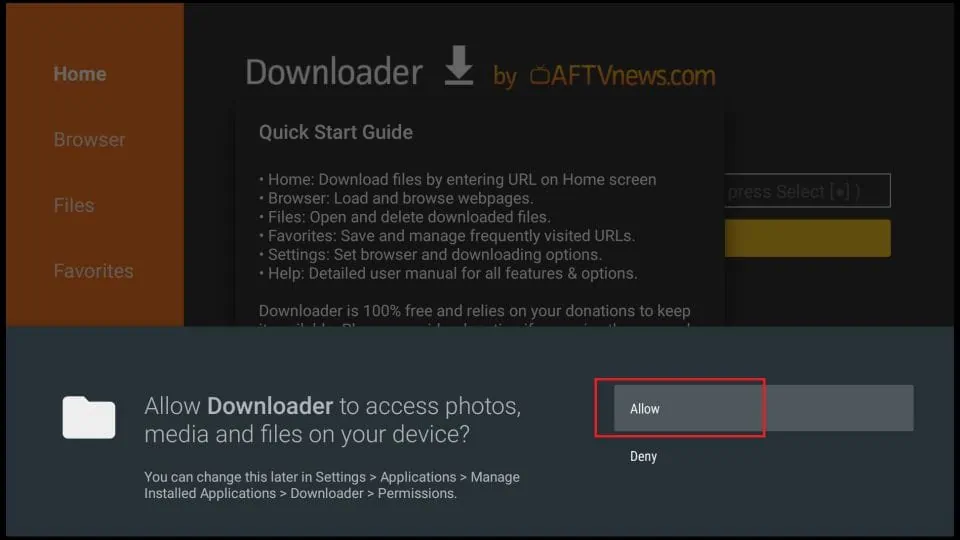 Click OK on this Quick Start Guide prompt.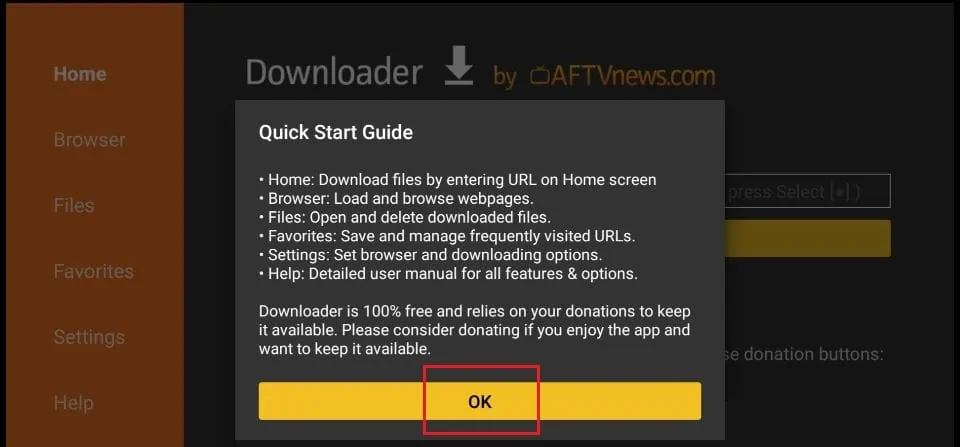
SHARE
Related Products

88 iptv comes with a tv guide for all Canada, USA, US Sports, US local stations and American tv Channels. It works with xtream code api apps like Smar..
$20.00

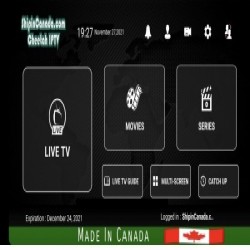
Save More with Longer Subscription Plans
Looking for television programming from Canada,
Europe, and around the world?
Cheetah IPTV brings to..
$15.00

Minimum Subscription: 3 Months
Bring a wide selection of television entertainment
to your compatible streaming device with
Smart 4K IPTV. Thi..
$15.00

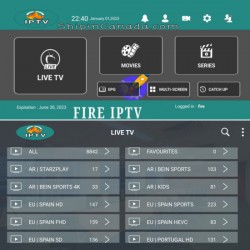
Works with VPN
Fire IPTV Canada is a multi connection IPTV subscription for Canadian viewers looking for live television, sports, movies, TV series, and internationa..
$12.00

BEST CHOICE
Minimum Subscription: 6 Months
Experience live television with
Super 4K IPTV, an IPTV subscription
designed for viewers who want Canadian,
A..
$20.00