

Menu
Your Cart
Attention Fire IPTV Customers
We are glad to inform you that the issue with FIRE IPTV has been fixed and the problem was with cloudflare dns. Please follow the steps below to fix everything on your end. 

If your Fire IPTV is working for you, great no need to do anything. but if it's not working follow these steps.
1. On your Android box or Firestick, go to the SETTINGS, then click on APPS or APPLICATIONS, find the IPTV app you are currently using and click FORCE STOP, then click CLEAR DATA. Once you click on Clear data it will clear everything and login again with your username and password.
2. If you are using our custom IPTV apps you just need to login using your username and password.
3. If you are using any third party apps then you login using your username, password and portal URL which is 
http://apomtit.com

ShipinCanada.com Blog - iptv apk RSS Feed

26 Nov 5 Best IPTV Service Providers in 2026
Admin 0 3459
Reviews of best iptv service providers servers and iptv apk app for 2023. What are the fastest top best iptv servers to choose from in 2023 for Canada, USA, UK, Sports near me? Do you want to watch American live tv channels, Canadian stations, UK Uni..
01 Dec VIP PLAY IPTV APK
Admin 1 9109
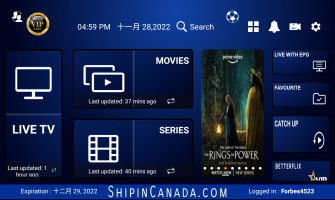
We are excited to announce our latest iptv apk called Vip Play IPTV.  Vip Play IPTV app works with all our xtream code iptv servers, 88 iptv, cheetah iptv, fire iptv and our newest server zeal iptv.No matter what iptv server you have from the above l..
08 Nov OUR NEW IPTV APP
Admin 0 10174
We are excited to introduce our newest IPTV app called CANADA IPTV. Canada IPTV app is one of the fastest iptv apps with latest options out there.At shipincanada.com we are always trying to bring the best for our customers because we care about you a..
Showing 1 to 3 of 3 (1 Pages)